
Supports CAPWAP standard protocol
Centrally manages up to 2,048 APs; supports up to 65,535 terminal connections
AC/AP networking supports L2, L3 and other modes
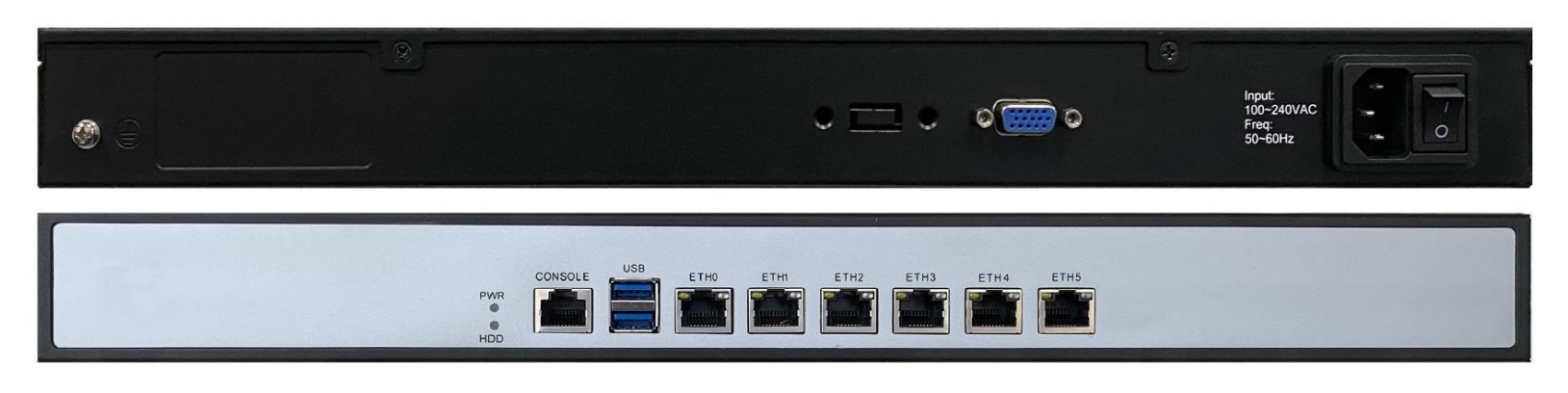
6 Gigabit copper ports, 1 Console port, 2 USB ports for uplink, local debug, offline config import and upgrade
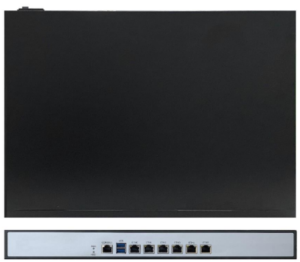
BEA1000-WC00063000 series AC wireless controller uses CAPWAP for centralized AP management, integrating O&M, configuration delivery and firmware upgrade. Supports flexible L2/L3 multi-scenario deployment. Rackmount, 220VAC power, multiple Ethernet and debug ports for easy data-center installation.
Visual O&M with map management, log alarms and template-based batch control greatly reduces on-site commissioning and inspection effort, used for centralized industrial wireless management in chemical plants, campuses and rail transit.
The cable is connected, but the port will not come UP / the link is down. What should I check?
+What are the PoE power specifications?
+Which ring protocols are supported, and what is the self-healing time?
+How should I choose between Layer-2 and Layer-3 industrial switches?
+Can non-OEM SFP optical modules work normally?
+How do I restore factory settings if I forget the device login password?
+What are the power supply requirements for industrial switches?
+What are the operating temperature range and protection rating of industrial switches?
+Supports CAPWAP standard protocol
Centrally manages up to 2,048 APs; supports up to 65,535 client terminals
AC/AP networking supports L2, L3 and other modes
6 Gigabit copper, 1 Console, 2 USB for uplink, local debug, offline config import and upgrade
Supports online/offline maps with automatic AP placement and visual editing
| processor | Intel Celeron J1900 Quad Core Processor 2GHz |
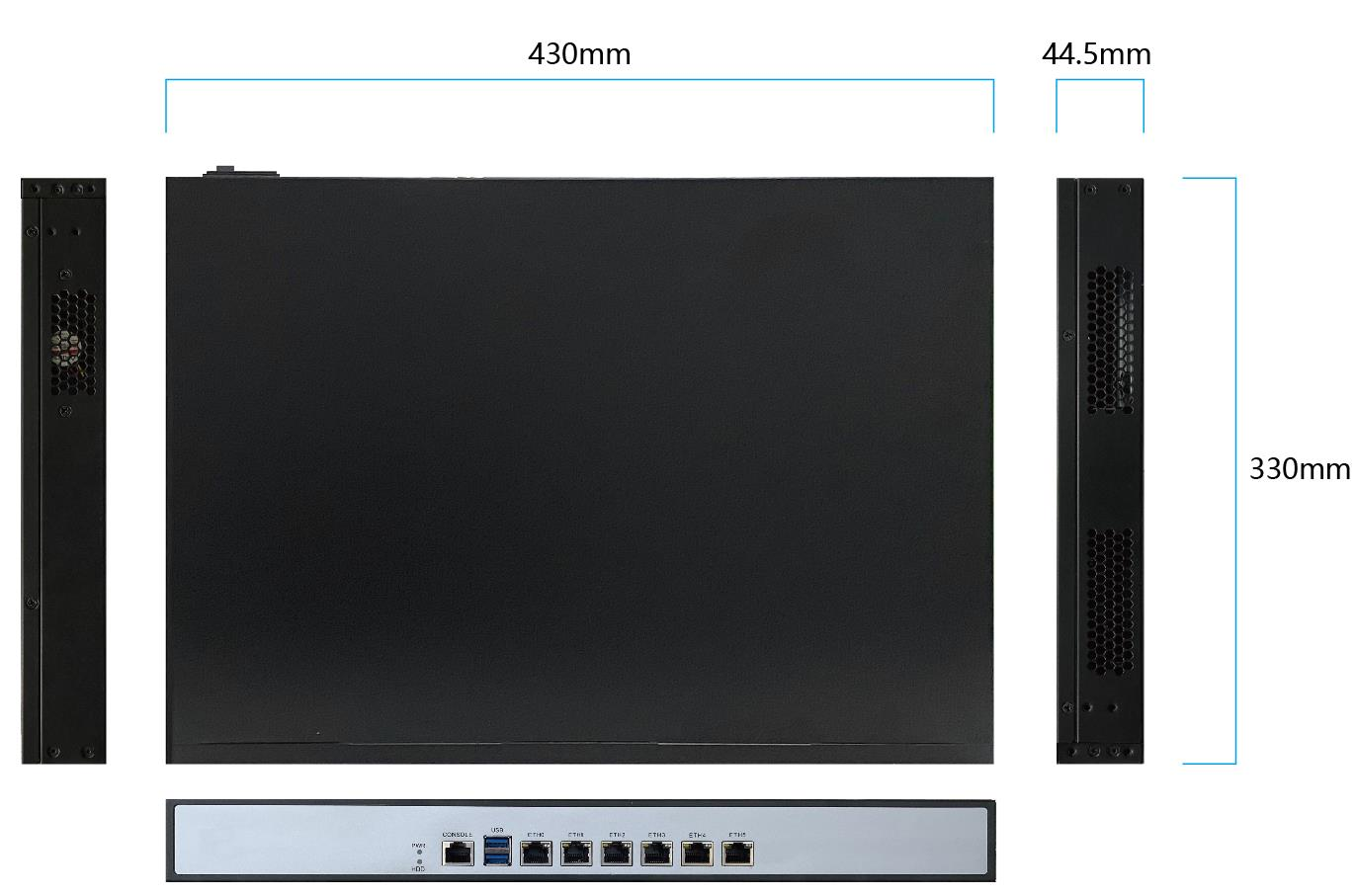
| Product dimensions | 430x300x44.5mm(1U) |
| Weight (kg) | 5.32 |
| Mounting | Rack mount or desktop |
| interface | 10/100/1000M Base-TX x6 USB x2 Console x1 |
| Power supply method | AC 220V 75W |
| Configure binning | Supports high/medium/low three-level configuration, the binning algorithm is the same as that of the access point |
| Memory | 4GB |
| performance | Maximum number of managed devices: 2048 Max. supported templates: 1024 Maximum number of connected users (STA): 65535 |
| Wireless security | Support SSID hiding |
| Operating temperature | 0℃~50℃ |
| Operating Humidity | 5~95% RH (non-condensing) |
| Discovery method | Support DHCP discovery Support static IP discovery Support broadcast discovery |
| management agreement | Support CAPWAP protocol |
| VLAN settings | Support port VLAN settings |
| User isolation | support |
| Access management | Supports modifying the login IP address; supports modifying the login password; supports English/Simplified Chinese; any invalid URL accessed by unlogged users will be redirected to the login interface |
| Information statistics | Display platform name, software version, IP address, CPU/memory utilization, running time, system time; total number of APs/online/offline statistics; total number of clients/online/offline statistics; the home page displays the number of new alarm logs |
| AP management | Displays status (online/offline/unmanaged/upgrading/configuring/upgrade failed/config failed), device name, model, IP, MAC, software version, uptime and service template; shows working channel, channel bandwidth, TX power level, SSID and deployment orientation; supports client list (RSSI, link rate, uptime) and terminal list (terminal type, IP). |
| map mode | Supports Baidu online maps with automatic AP placement by location (default position if missing/incorrect); manual drag-and-drop editing; click a device for details (status, name, model, IP, MAC, location, SSID, frequency, etc.) and parameter editing; supports offline maps, multiple map layers, hideable devices and separately managed manual positions. |
| Connection instructions | Use different connection colors to indicate wired/wireless connection methods and signal strength; use different colors or shapes to distinguish access points and clients. |
| Configuration management | Configuration saving (exporting encrypted configuration files), configuration restoration (importing legal configuration files), map file upload |
| Log management | Operation log, modification log, alarm log; supports settings to be synchronously uploaded to the remote syslog server; supports log clearing; supports keyword fuzzy search (only for currently displayed logs) |
| Upgrade function | Support device image uploading and storage; support automatic upgrade (switch setting, version verification for later online devices, automatic upgrade according to rules); support batch manual upgrade (select version and device) |
| System settings | Supports platform name modification; supports login timeout configuration (1 minute/10 minutes/30 minutes/unlimited); supports user name/password modification; supports CAPWAP protocol; supports DHCP/static IP/broadcast discovery; supports port VLAN settings; the average upgrade service interruption time is ≤7 minutes |
Hotline: 86-21-58330762
Zip: 201203
Email: sales@mrdcom.net
Address: No.123 Curie Road, China (Shanghai) Pilot Free Trade Zone




Copyright 2026 MRD Co LTD . All Rights Reserved Shanghai ICP No.12035199


